

Password Generator In Javascript
This post contains the source code for my video.

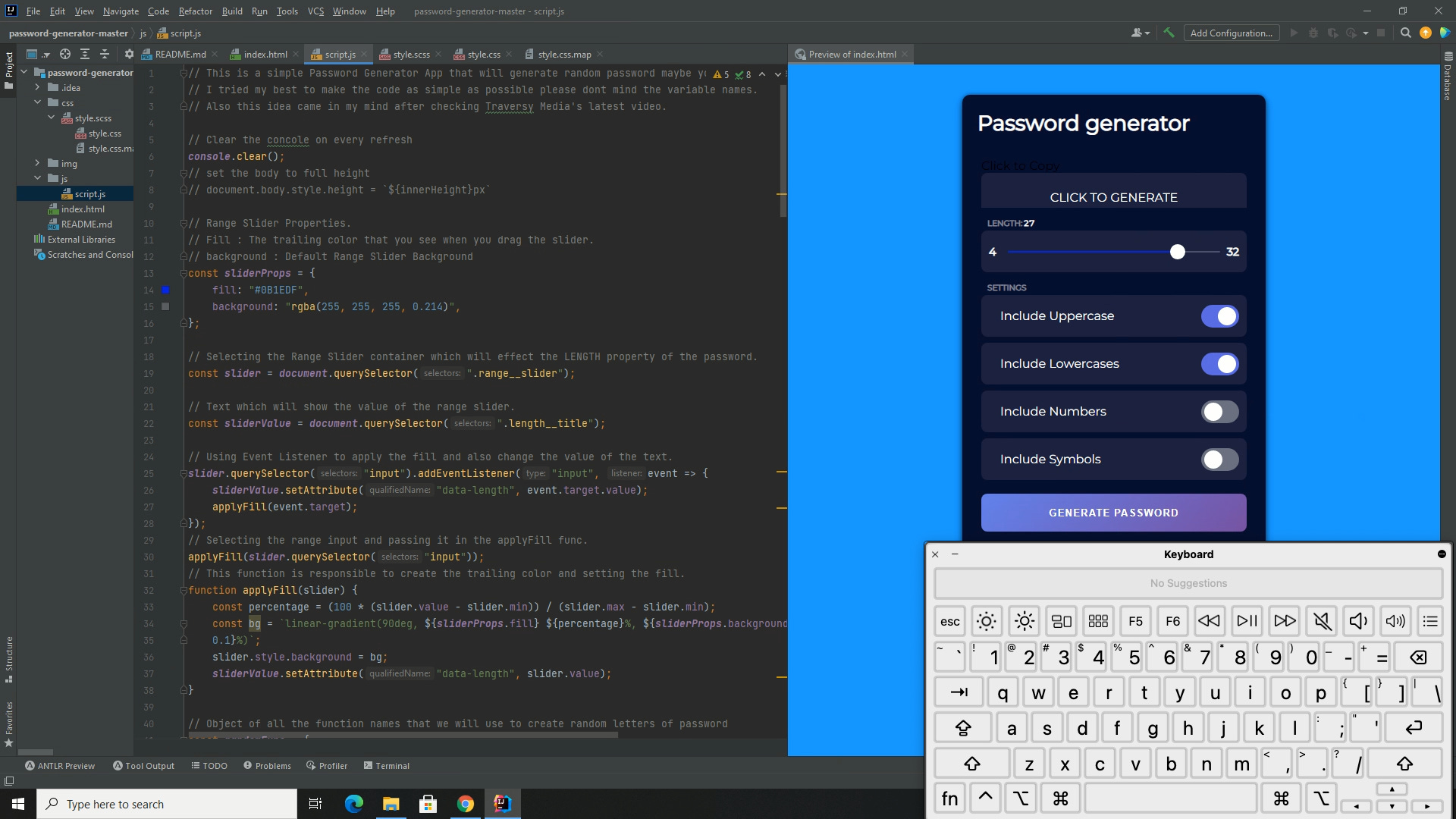
The first thing we are going to code is index.html
<!DOCTYPE html>
<html lang="en">

<head>
    <meta charset="UTF-8">
    <meta name="viewport" content="width=device-width, initial-scale=1.0">
    <meta http-equiv="X-UA-Compatible" content="ie=edge">
    <title>Password Generator</title>
    <link rel="stylesheet" href="css/style.css">
    <link rel="stylesheet" href="https://cdnjs.cloudflare.com/ajax/libs/font-awesome/5.14.5/css/all.min.css">
    <link rel="stylesheet" href="https://fonts.googleapis.com/css?family=Montserrat">
</head>

<body>
    <div class="container">
        <h2 class="title">Password Generator</h2>
        <div class="result">
            <div class="result__title field-title">Generated Password</div>
            <div class="result__info right">click to copy</div>
            <div class="result__info left">copied</div>
            <div class="result__viewbox" id="result">CLICK GENERATE</div>
            <button id="copy-btn" style="--x: 0; --y: 0"><i class="far fa-copy"></i></button>
        </div>
        <div class="length range__slider" data-min="4" data-max="32">
            <div class="length__title field-title" data-length='0'>length:</div>
            <input id="slider" type="range" min="4" max="32" value="16" />
        </div>

        <div class="settings">
            <span class="settings__title field-title">settings</span>
            <div class="setting">
                <input type="checkbox" id="uppercase" checked />
                <label for="uppercase">Include Uppercase</label>
            </div>
            <div class="setting">
                <input type="checkbox" id="lowercase" checked />
                <label for="lowercase">Include Lowercase</label>
            </div>
            <div class="setting">
                <input type="checkbox" id="number" checked />
                <label for="number">Include Numbers</label>
            </div>
            <div class="setting">
                <input type="checkbox" id="symbol" />
                <label for="symbol">Include Symbols</label>
            </div>
        </div>

        <button class="btn generate" id="generate">Generate Password</button>
    </div>

    <script src="js/script.js"></script>

</body>

</html>
Now let’s code the javascript part.
